There was a time when you could spot an AI-generated video almost immediately.
The face might look convincing in a still image, but then the person started moving. The eyes wandered. The mouth didn’t quite match the words. Hands seemed to have a mind of their own. And if you tried to put the same person into another scene, you sometimes ended up with someone who looked like their distant cousin.
That is changing quickly.
AI-generated people can now look remarkably realistic. They can talk, move through scenes, demonstrate products, appear in different locations, and become recurring characters across multiple pieces of content.
But there is another possibility that may be even more interesting if you create videos for your business.
The AI person doesn’t necessarily have to be someone you invented. It can be an AI version of you.
For marketers who know they should probably be creating more video but aren’t particularly interested in spending their days in front of a camera, that changes the conversation.
So let’s look at how realistic AI videos are being made in 2026, what actually makes them believable, and how you can begin experimenting with them yourself.
What Is a Realistic AI Video?
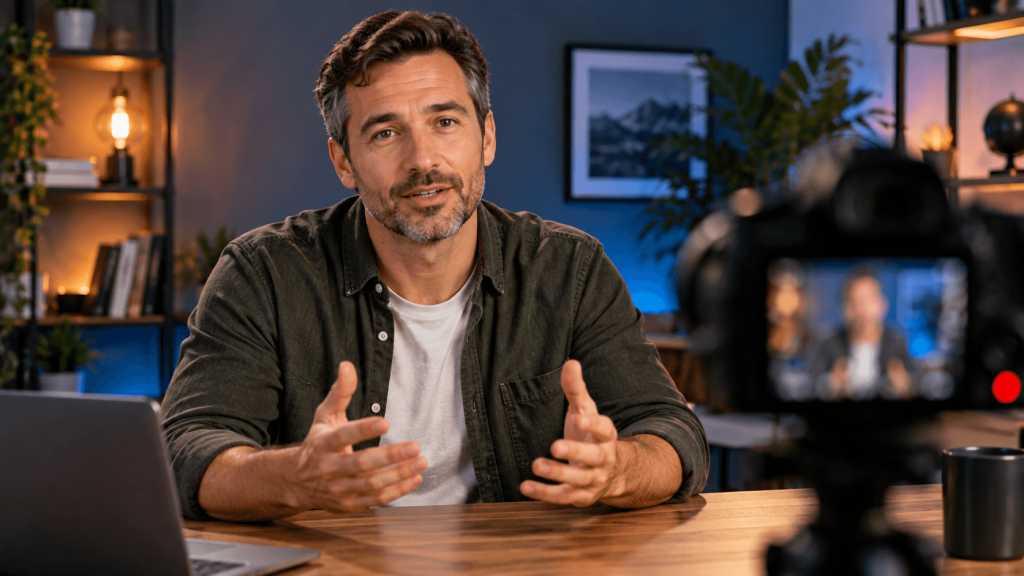
When I talk about realistic AI video here, I’m not talking about cartoons, animated characters, or the traditional virtual presenter standing motionless against a background.
I’m talking about AI-generated people designed to look as though they could have been filmed with a camera.
That person might be completely fictional. You can create someone from scratch, decide what they look like, place them in a particular environment, and eventually turn that character into video.
You can also work from reference images so the same person remains recognizable from one creation to another.
And then there’s the option marketers may find particularly useful: creating an AI representation of yourself.
Instead of inventing a spokesperson, you’re using your own appearance as the reference. Depending on the tools and workflow you’re using, that can make it possible to create scenes featuring a recognizable version of you without physically recording every scene yourself.
These approaches use some of the same underlying ideas, but the end goal can be very different.
How Are Realistic AI Videos Actually Made?
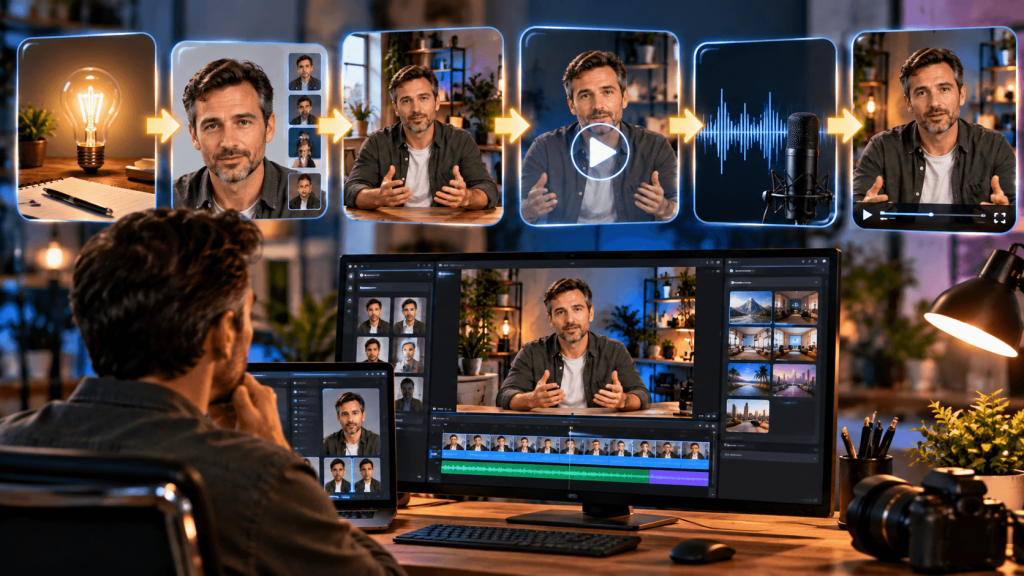
It’s tempting to think there must be a button somewhere that says, “Create realistic AI video.”
We’re getting closer to that kind of simplicity, but understanding the basic process will give you much more control over the result.
A useful way to think about it is:
Idea → Person → Scene → Movement → Voice → Finished Video
You begin by deciding what you’re trying to create and who should appear in it.
An image-generation tool can establish the person’s appearance and the scene around them. A video-generation tool can then use that visual as the starting point for movement. Depending on the platform, dialogue, sound, or voice may be generated as part of the video or added separately.
You may finish by bringing everything into an editor to add captions, music, additional clips, a logo, or whatever else the finished content needs.
You don’t necessarily need six different subscriptions to do this. Some of the newer AI platforms are combining more of these capabilities, and the tools themselves continue to change.
What’s more important is understanding the process.
Step 1: Decide Who You Want in the Video
Before worrying about prompts or software, decide who is going to appear on screen.
Maybe you want a completely fictional character.
That can work well when you’re creating a spokesperson for a brand, building a recurring social media character, or simply want the freedom to create someone who fits a particular idea.
Another option is creating a consistent character you can use repeatedly. Instead of generating a different person every time you make a video, you establish one recognizable character and continue working with that person.
Then there’s the third option.
You.
For a marketer, this may be where AI video becomes more than an interesting novelty.
You may already write your own emails, create your own offers, run a YouTube channel, or communicate with customers under your own name. You don’t necessarily want a fictional twenty-five-year-old spokesperson representing you.
You’d rather have yourself in the video.
You just don’t want to record yourself every time.
That’s where creating an AI version of yourself starts getting interesting.
Step 2: Create the Person Before You Create the Video
One of the easiest mistakes to make is jumping straight into video generation.
A convincing video starts with a convincing person.
Tools such as ChatGPT Images and Google’s Gemini can create remarkably realistic people from written instructions and reference material. The exact tool matters less than what you’re asking it to create.
If your instructions amount to “create a realistic man sitting at a desk,” you’re leaving almost everything up to the AI.
Think about what a camera would actually see.
Where is the person? What kind of lighting is there? What are they wearing? How close is the camera? Is this supposed to look like a casual phone recording, a polished advertisement, or someone sitting in a home office talking to an audience?
Those details help establish the visual language of the scene.
There’s also a temptation to make everything too perfect.
Perfect skin, flawless studio lighting, immaculate clothing, and a spotless environment can sometimes work against realism. Real people have texture. Real rooms aren’t always perfectly arranged. Real camera footage isn’t always lit like a Hollywood production.
The goal isn’t necessarily to create the most beautiful AI image possible.
It’s to create an image that your brain accepts as something a camera might actually have captured.
Step 3: Turn Your Image Into a Moving Person
Once you have a person and scene you’re happy with, image-to-video generation can bring that still image to life.
Platforms such as Google Flow and Kling AI are examples of tools being used for this kind of work.
Rather than asking the AI to invent everything from scratch, your starting image gives it something concrete to work from. You can then describe what happens in the scene.
This is another place where restraint can make a big difference.
Suppose you have an image of someone sitting at a desk.
You probably don’t need the person waving both arms, spinning around in the chair, looking in three directions, picking up a coffee cup, and walking out of the room during an eight-second clip.
A person looking toward the camera, speaking naturally, occasionally blinking, and making a subtle hand gesture may look far more convincing.
Think about what a real person would actually do during those few seconds.
AI can create movement.
Your job is to give it movement worth creating.
Step 4: Give Your AI Person Something to Say
A realistic face is only part of the illusion.
The moment the person starts talking, the voice becomes just as important.
There are several ways to approach this.
You can use an AI-generated voice. You can record your own narration. Some tools can generate dialogue and sound along with the video. Voice-cloning technology can also reproduce a person’s voice from appropriate source material.
If you’re creating an AI version of yourself, your own voice can make a significant difference.
A character that resembles you but sounds nothing like you may still feel like an avatar. Combine your appearance with a recognizable version of your voice and the result can feel much closer to an extension of you.
That doesn’t mean you should clone anyone’s voice simply because the technology allows it. When using a real person’s likeness or voice, make sure it’s your own or that you have permission to use it.
Step 5: Pay Attention to the Things That Give AI Away
Making a video technically sharper doesn’t automatically make it more realistic.
Sometimes the tiny details matter more.
Watch the person’s eyes. Look at the way their mouth moves while they’re speaking. Pay attention to their hands and the way clothing behaves when the body moves. Look for objects that mysteriously change shape or backgrounds that shift between frames.
Also pay attention to the performance itself.
Human beings don’t move constantly when they’re talking. We pause. We blink. Our expressions change subtly. Our gestures usually have some relationship to what we’re saying.
AI tends to become more noticeable when too much is happening.
This is why realism isn’t simply a matter of resolution.
A video feels real when the person and everything around them behave the way we expect the real world to behave.
A slightly imperfect video with natural behavior can be more believable than an immaculate 4K creation where something just feels wrong.
Can You Create an AI Version of Yourself?

This is where realistic AI video becomes particularly interesting for marketers.
AI tools can now use reference material to create content based on a real person’s appearance. Depending on the platform and workflow, that might be a traditional talking avatar or something much more flexible.
We’ve had talking avatars for a while. You provide a script and the avatar talks to the camera. But newer AI video tools can go beyond the familiar head-and-shoulders presenter.
An AI version of you could potentially appear in different environments and types of videos. You might be sitting in an office in one scene and somewhere completely different in another. That opens the door to creating short-form content, promotional videos, or other appearances without setting up a camera every time.
For marketers, that’s where the appeal becomes obvious.
Recording even a simple video means finding somewhere suitable, getting the lighting right, setting up your camera, recording, and often doing another take because something didn’t come out quite right.
AI removes some of that friction.
You can still be the recognizable person behind your content without physically recording every appearance.
That doesn’t mean throwing away your camera. There are times when nothing beats talking directly to your audience yourself.
AI simply gives you another option.
Keeping the Same AI Person From One Video to the Next
Creating one great-looking AI person is relatively easy.
Creating that same person again is where things can get trickier.
Change the prompt, camera angle, clothing, or environment and suddenly your character’s nose is slightly different. Their face gets narrower. Their hair changes. By the third video, you’re looking at somebody else.
This matters if you’re building a recurring character, and it matters even more when the character is supposed to be you.
Reference images and character-consistency features can help give the AI a visual anchor. Instead of describing the person’s appearance from scratch every time, you’re providing information about the character you’re trying to preserve.
It’s worth getting this right before producing dozens of clips.
If you find a look that works, treat it as an asset rather than starting over with every video.
What Can You Actually Do With Realistic AI Video?
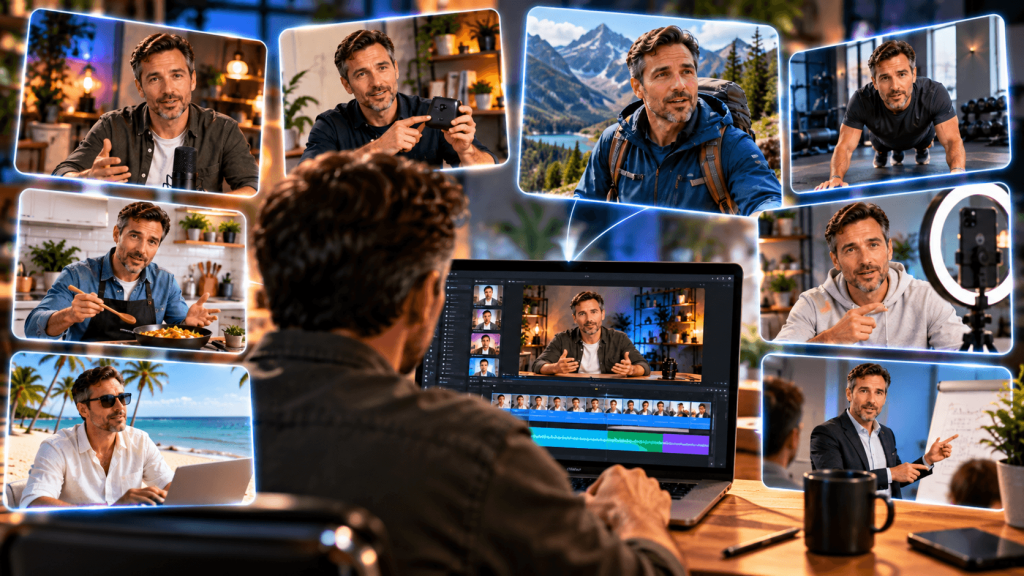
For marketers, there are plenty of possibilities. You could create an affiliate promotion, introduce a YouTube video, explain a product, or produce short-form content without recording every scene yourself.
You don’t have to be the character either. A fictional spokesperson could represent a brand, demonstrate a product, or become a recurring character across a social media channel.
Another interesting use is AI UGC, where realistic AI people can appear in the type of casual promotional content normally created by everyday users.
I’ll cover that separately in How to Create AI UGC Videos Without Showing Your Face.
What Tools Do You Need?
This is where AI can become unnecessarily expensive.
You discover one image generator, another video generator, a voice tool, an avatar platform, an editor, and three other services somebody on YouTube insists you can’t live without.
Pretty soon your collection of AI subscriptions costs more than your cable bill used to.
You don’t need every tool.
For creating the initial images, ChatGPT Images and Google’s Gemini are two places to start. Midjourney is another well-known option, but that doesn’t mean you need another paid subscription simply because it exists.
For AI video, Google Flow and Kling AI are among the tools worth exploring.
Once you’ve generated the footage, you can use an ordinary video editor for the finishing work. Canva, CapCut, Clipchamp, and DaVinci Resolve are examples, depending on how much editing you want to do.
The tools will change. New ones will appear. Existing ones will add features that used to require separate software.
Learn the workflow and you’ll be in a much better position to adapt when they do.
Learning How to Put It All Together
Having access to the tools is one thing. Getting the results you want from them is another.
There’s a fair amount of experimentation involved when you first start creating realistic AI video. You can learn a lot simply by trying things and seeing what works.
But if you’d rather see how someone is actually putting the pieces together instead of figuring everything out through trial and error, there’s a resource I’ve been spending some time with.
AI Realism Academy
The resource I’m talking about is Trevor Carr’s AI Realism Academy. What initially caught my attention was the content he was actually creating.
Some of it is much easier to understand when you see it for yourself, so here’s one of his demonstrations:
Inside the Academy, Trevor goes behind the scenes and shows how he’s creating this kind of content. That includes realistic AI images and videos, consistent characters, voices, AI versions of yourself, and the different tools and techniques he uses to bring everything together.
For me, that’s where something like this becomes useful. You can see the finished result, but you can also see what went into creating it.
The Academy is hosted as a Skool community, which also makes sense for a subject that’s changing as quickly as AI video. New tools and capabilities are appearing constantly, so this isn’t really the kind of topic where you learn one piece of software and consider yourself finished.
If creating this kind of content interests you, you can take a closer look at the Academy and see more of what Trevor is doing here:
👉 See AI Realism Academy and Watch the Demonstrations
Frequently Asked Questions
Can AI create videos that look like real people?
Yes. Current AI image and video tools can generate highly realistic human characters and animate them into video. Results vary depending on the model, source image, prompt, movement, and complexity of the scene, so not every generation will look convincing.
Can I create an AI video of myself?
Yes. Some AI workflows can use reference images or video of you to create an AI representation of your appearance. The exact process depends on the platform you’re using, and the result may range from a talking avatar to a more flexible AI version of you that can appear in generated scenes.
How do you keep an AI character looking the same?
Consistency generally improves when you use strong reference images and tools with character or reference features rather than recreating the person’s appearance from a written description every time. Even then, it’s worth checking each generation carefully because small changes can still occur.
Can you make realistic AI videos for free?
You can experiment with some AI image, video, and editing tools through free access or limited credits, although availability and limits change frequently. More frequent video generation will often require paid credits or a subscription because generating video requires considerably more computing power than generating text or still images.
Can I use AI-generated people in marketing?
AI-generated people can be used in many forms of marketing, subject to the rules of the platform, tools, advertising channels, and any applicable disclosure or likeness requirements. Avoid using someone’s real identity, likeness, or voice without authorization, and don’t use AI to mislead viewers about endorsements or experiences that never occurred.
You Don’t Have to Be on Camera Every Time
For years, one of the standard pieces of marketing advice has been to “get on video”.
And there’s a good reason for that. Video lets people see you, hear you, and begin to feel like they know the person behind the website, email, or business.
The problem is that not everyone wants to live in front of a camera. But realistic AI video gives us another option.
You can create fictional people when that’s what the project calls for. You can build recurring characters. You can experiment with UGC-style content.
Or you can explore creating an AI version of yourself that can appear when you don’t have the time, desire, or setup to record another video.
The technology isn’t perfect, and you shouldn’t expect every generation to come out looking like genuine camera footage on the first try.
But we’ve reached the point where the question is no longer simply, “Can AI generate a person?” It’s more like “What could I create with one?”
And if you want to see just how far that’s already come, take a look at some of the examples from the AI Realism Academy.